
Case study · 2025–2026
Weldaad Supplier Portal
A wholesale sourcing workflow that lived across messages and spreadsheets became a purpose-built Shopify supplier platform.
- Shopify
- Remix / React
- Node.js
- Shopify Admin API
- Discipline
- B2B portal · Supplier workflows · Product data · Shopify automation
- Year
- 2025–2026
- Engagement
- Fixed scope
- Status
- Live
01Context
- Give administrators and suppliers separate interfaces for purchase-order collaboration.
- Capture structured product and packaging information before approval.
- Create or update Shopify products automatically from approved portal data.
Weldaad Authentic Interior works with suppliers who provide new products and missing technical information for existing products. That data ultimately needs to reach Shopify in a consistent structure.
Managing purchase orders, supplier responses, product details, packaging data, images, SKUs, metafields, and approval status manually created unnecessary operational friction.
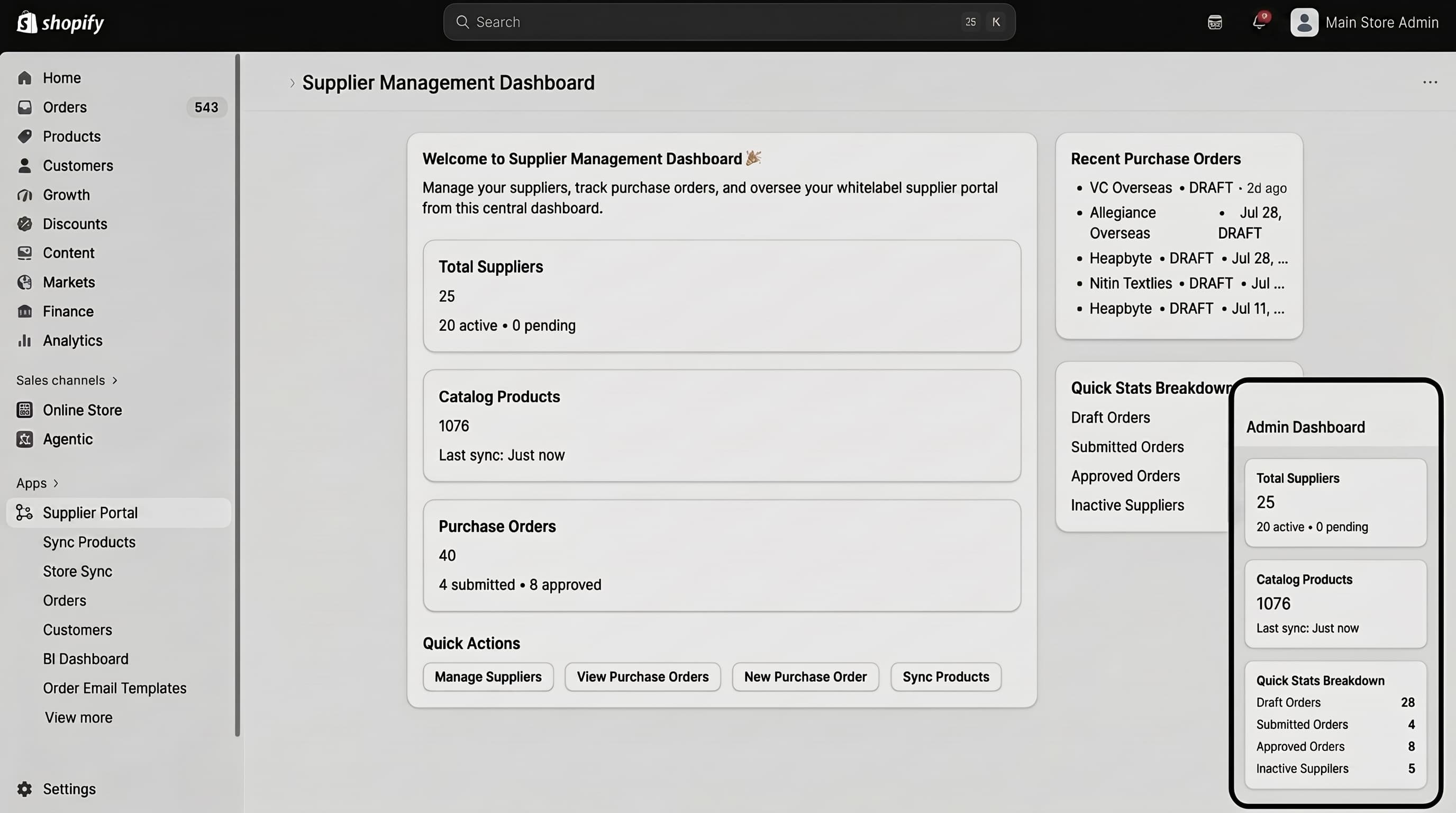
HeapByte built a custom supplier portal that sits between Weldaad, its vendors, and Shopify, turning the sourcing workflow into a controlled digital process.
02What was in the way
- 01
Two different user roles
Suppliers needed to enter information while Weldaad retained control over approval, corrections, pricing, and product publishing decisions.
- 02
Existing and new products
The same purchase order could contain existing Shopify products and completely new products requiring different synchronization behavior.
- 03
Structured product data
Packaging, EAN codes, costs, metafields, images, vendor information, and product descriptions all needed reliable field-level mapping.
03Architecture
What we built, and what we deliberately left alone.
- 01
Purchase-order data model
Orders and line items were stored independently from Shopify products so suppliers could work on draft data before anything affected the live catalog.
- 02
Role-aware interfaces
Admin and supplier views expose different controls while preserving shared visibility into the same product records.
- 03
Shopify synchronization layer
Approved or manually synchronized data is mapped into Shopify products, variants, barcodes, costs, images, and metafields.
Delivery
- Portal foundation
- Supplier workflow
- Shopify synchronization
- Approval & validation
- Operational refinements
04Outcome
- Workflow
- Centralized
- Shopify sync
- Create + update
- Users
- Admin + suppliers
- Development model
- Ongoing
Supplier product data and purchase-order collaboration moved into one system
Supports both new and existing catalog products
Separate permissions and responsibilities
Portal expanded across multiple business workflows
05Engineering notes
- Draft product state
- Portal product data remains independent while a purchase order is still being prepared.
- Product matching
- Existing products can be updated while new products follow a separate creation path.
- Metafield mapping
- Structured supplier fields map into Shopify metafields and standard product data.
- Approval workflow
- Purchase-order status determines when product data becomes eligible for final synchronization.
What we took from it
- 01Supplier data should be validated before it touches the production catalog.
- 02Draft product records need their own lifecycle rather than behaving like Shopify products too early.
- 03Role permissions simplify workflows more effectively than adding more instructions.
- 04B2B operational software improves incrementally as real suppliers expose edge cases.
Disciplines applied
Next case study
Weldaad B2B → B2C Product Synchronization
We connected Weldaad's B2B and B2C Shopify stores with configurable synchronization for products, metafields, images, pricing, variants, and updates.
Similar problem?
We will tell you whether this approach fits.
Every store is different. Send us yours and we will say what we would actually do — including when the answer is less work, not more.